THE OTHER ROUTE
Binance Signup and Your First Bitcoin Purchase
Written for anyone who has just walked away from a machine, or hasn't decided whether to walk up to one. The drawbacks of this route come first — it isn't instant, and it isn't open to everybody — then how to actually get through it, and where people get stuck.
Most of this site is about how much a bitcoin ATM takes off you. Sooner or later somebody has to ask: fine, then what?
This is the answer. But the drawbacks go first, because they're real and this route genuinely doesn't suit everybody. If one of them applies to you, the machine may well be the better call.
The drawbacks, first
The biggest problem with an exchange is that it isn't instant. Between signing up and actually holding coins sit identity verification and a deposit clearing — anywhere from under an hour to a couple of days, sometimes longer.
Verification takes time and can bounce
You upload a document, photograph your face, and wait. Usually it's automated and quick. But glare on the document, a name spelled differently to your ID, or an address document that doesn't meet requirements all send it back, and each rejection costs hours or days.
You need a bank account or local payment method
Exchange funding generally uses transfers, cards or local payment services, rather than taking physical notes directly. Cash trading with another person may be possible, with different counterparty risks. If you cannot use the available funding methods, an ATM may be a practical alternative.
Availability depends on where you are
What an exchange can offer varies a great deal by country, and regulation moves. The same platform can behave completely differently depending on where you open it. There's no way to generalise this — it comes down to what the site shows you from your location, and it's worth checking before you plan around it.
For readers in Australia, access and payment methods depend on the service and the individual account. Binance's Australian public page says the exchange is available to Australian users, but check the current deposit choices shown in your own account because availability can change.
What the machine genuinely wins on
Flip those drawbacks over and you have the case for the ATM, and it's an honest one:
- Immediate. From standing at the machine to coins in your own wallet is usually under an hour, most of it just waiting for block confirmations. No approval queue.
- Takes cash. No bank account, no transfer record, no card to link.
- No account. No signup, and at the lowest tier often just a phone number.
- Coins land in your own wallet. Not a number in a platform account — actual on-chain coins you control. The exchange route needs an extra withdrawal step to get there.
If any of those is a genuine requirement, decide whether the extra cost in the actual quote is worth paying. Compare the bitcoin received for the same amount through both routes before paying for cash access. The short list covers those cases.
If none of them is — you have a bank account and you're not in a hurry — the route below leaves you with noticeably more bitcoin for the same money. Put a figure into the calculator and you'll see the gap.
Step one: create the account
For a new account, check the referral field during signup. Existing accounts follow different rules; do not assume the new-user link on this page can add a referral relationship later.
There isn't much to it. Use a password manager to generate the password, and don't reuse one from anywhere else.
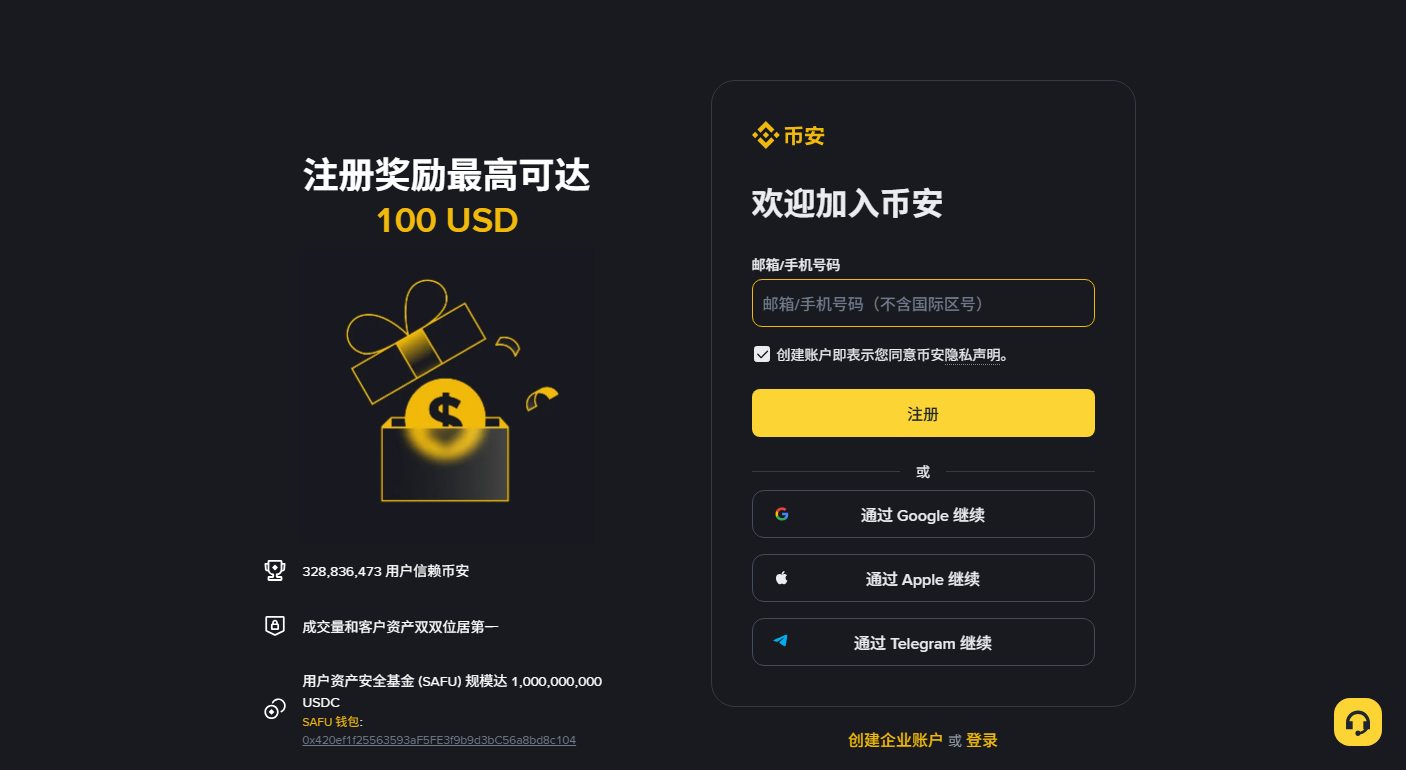
Existing-user rules: Binance’s official recall programme FAQ (checked October 2026).
Where the referral code goes
Sign-up forms usually keep a "Referral ID" or "Referral code" field collapsed behind a toggle, which is why it's so easy to miss. Expand it and enter the code.
You can also open the sign-up page with the code already attached: Binance sign-up page (carries our referral code)
That is this site's referral link. If you register through it, the platform may pay this site a referral reward. Any fee benefit and its rate are whatever the sign-up page shows at the time. Full explanation is in the disclosure.
Check the referral relationship when creating a new account. Binance also has a separate recall programme for eligible existing users. It uses a qualifying new invitation link, not a manually added referral code. The signup link in this article is not a promise of eligibility for that programme.
Step two: identity verification
Upload a document, take a face photo, wait. Without this, most functions stay locked.
You'll need a document that hasn't expired — passport, driver licence or national ID, depending on what's accepted where you are — and decent lighting.
Things that cut the rejection rate:
- Lay the document flat rather than holding it. Fingers over a corner is the most common rejection reason there is.
- Kill the glare. Laminated documents wash out under direct light. Change the angle or turn off the overhead.
- Match the name exactly. Including middle names and spelling. Checking this while typing is far cheaper than being sent back.
- No glasses or hat for the face check, and keep the background plain.
It's usually fast, but nothing is guaranteed. This is the "not instant" part in practice — you can't promise yourself you'll be buying today.
Step three: the security settings
Widely skipped, widely regretted. It takes about ten minutes.
- Turn on two-factor authentication using an authenticator app rather than SMS alone — phone numbers can be ported away from you. Write the recovery key on paper.
- Set an anti-phishing code. Enable it in security settings and use it as an extra email check. If the code is absent or wrong, do not follow the message’s links; open the official site yourself. A matching code does not replace checking the sender’s domain and what the message asks you to do.
- Enable a withdrawal address whitelist. After that, funds can only go to addresses you added in advance. Even a compromised account can't be emptied immediately.
- Review connected apps and revoke anything you're not using.
Same principle as the machine
Platform support will never contact you first asking for a password, a code or a recovery phrase, and will never ask you to move assets to a "safe address". It's the same script as the phone call telling someone to go and pay at a bitcoin ATM, in a different setting.
Step four: funding it
Move money in. What's available varies a lot by country, and the page will list your options.
Broadly, bank transfer can be cheaper but slower to land, while a card can be faster and cost more. Exact methods, processing times and charges are whatever the deposit screen shows for your account; do not assume a particular local rail is available until you see it there.
For the first deposit, send a small amount and watch it arrive before sending the real figure. That habit is worth keeping on any platform.
Step five: the first purchase
Place an order on the spot market or through the simple buy interface. A market order is the straightforward option: enter an amount, confirm, done.
- Market order — fills immediately at whatever the market is offering. Simple, fine for a first go.
- Limit order — you name a price and it fills only if the market reaches it. Might take a while, might never fill.
The fee shows on the order screen. Mainstream exchange spot fees are typically under 1%, often around 0.1% — a different order of magnitude to the double-digit percentages a machine can charge. The applicable rate is whatever your account's fee page currently shows.
Step six: withdrawing to your own wallet
After buying, the coins sit in your platform account. If what you want is on-chain coins under your own control, there's one more step.
Withdrawal means entering an address, choosing a network, paying a network fee and waiting for confirmations. This is the step the machine gives you for free and the exchange charges an extra action for.
Choosing the network is where this goes wrong. For bitcoin, pick the bitcoin network. Don't pick a different chain because the fee looks cheaper — if the address format doesn't match, the coins may be unrecoverable. Same category of mistake as entering the wrong address at a machine, and the same lack of remedy.
Send a small amount first, confirm it lands, then send the rest.
Where people get stuck
| Stuck at | Usual cause | What to do |
|---|---|---|
| Verification rejected | Glare, fingers over the document, name mismatch | Re-shoot in different light, check spelling character by character |
| Deposit not showing | Missing reference, sender name not matching the account | Contact support with the transfer receipt |
| Forgot the referral code | No referral relationship confirmed at signup | Check eligibility for the separate recall programme; do not open another account just for a code |
| Locked out after changing phone | Recovery key not saved | Account recovery process, which is slow |
| Withdrawal sent on the wrong network | Chose a cheaper chain | May be unrecoverable |
The two red rows are the same species as the two irreversible actions at a machine: done is done. The difference is that both can be avoided by testing with a small amount first, and the ones at the machine cannot.
Where that leaves you
The shape of this route should be clear enough: cheaper, slower, and it requires a bank account.
If you need coins today, or cash is all you have, reassess whether a machine fits your needs. First use the check in the pricing piece to compare cash paid with expected coins received, and confirm processing times with the operator. A machine does not guarantee same-day delivery.
If you are not in a hurry, use the six steps above to assess the other route. Compare the time needed for funding, buying and withdrawing alongside all charges. Whether it is cheaper, and how much more bitcoin you receive, depends on the actual quotes for both routes.
Common questions
Can a referral code be added after signing up?
Do not assume the signup code can be added later. Binance has a separate, conditional recall programme for existing users, which uses a qualifying invitation link rather than a manually entered code. The new-user signup link on this page does not establish eligibility.
How much cheaper is an exchange than a bitcoin ATM?
Mainstream exchange spot fees are typically under 1% and often around 0.1%, while a bitcoin ATM's total cost has to include both the posted fee and the exchange rate spread; published figures use different definitions, so go by the quote on the machine. In this site's worked example (a separate 12% ATM fee, a price 4% above market and a 0.1% exchange trading fee, excluding funding, flat and withdrawal fees on both routes), the ATM route leaves you with about 85% of the bitcoin the exchange route would for the same cash; plug your own numbers into the calculator.
How long does it take before I can actually buy?
There is no fixed answer. Registration takes minutes, but identity verification has to be reviewed and the deposit has to clear, and each can run from under an hour to a couple of days. A rejected verification adds more. This waiting is the main disadvantage of the exchange route compared with a machine.
Can I use an exchange without a bank account?
Exchange funding generally uses bank or local payment services rather than accepting notes directly. Check the methods available to you. An ATM is one cash route; face-to-face trading may also exist but introduces different counterparty risks.
Do the coins go straight into my own wallet?
Not automatically. After buying on an exchange the coins sit in your platform account. To hold them on-chain yourself you need to make a withdrawal, entering an address, selecting the correct network and paying a network fee. Selecting the wrong network can make the funds unrecoverable, so send a small test amount first.
Process references: Binance's identity-verification guide (updated June 2026) and current fee table. Availability varies by country. The body contains exactly one clearly labelled referral sign-up link.